Why are Instagram Stories not showing in the viewer?
Instagram Stories usually don’t show because a Story expired, the creator limited its audience, the account has no current update, or the app or viewer cannot load it yet. Here’s how to tell which case you’re in and what to do, starting with simple checks before another lookup.
Content reviewed November 5, 2026. Current-Story scope; earlier live checks remain dated, not a new media verification.
What this troubleshooting guide helps you check
- Distinguish expiry, an empty public account, audience restrictions and source failure.
- Check whether your input identifies a Story or an account.
- Read source-check times and earlier-result notices.
- Choose a relevant retry or download fix without bypassing the audience.
Check a public Story link in three steps
- For one Story, copy its Share → Copy link address when available, or its full desktop browser address. Check for
/stories/, a username and a numeric Story ID. For an account, use its exact username/profile URL; a display name is not unique. - Paste into the Instagram Story Viewer and check the input hint. Story links use the public flow; usernames/profile URLs require Google before account-cache access. A correct address does not establish that content remains public or unexpired.
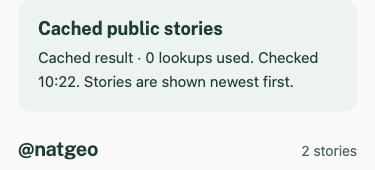
- Read the state and source-check time. Private, not found, empty and temporary failure need different responses below. If an earlier result remains visible, read its refresh notice; page reload alone does not establish a new source check.
Common reasons Stories don’t show
Timing and the creator’s audience
A Story normally stays available for 24 hours, and the creator can remove it sooner. An account can keep posting feed photos without sharing a current Story. Highlights are a separate feature; seeing a Highlight does not establish that a new Story is available today. Instagram explains the usual lifetime in its Help Center guide to Story expiry.
Private accounts limit their audience to approved followers. A public account can also share a Story with Close Friends or hide Stories from particular people. Blocking can affect what you see through your account. Instagram’s Restrict feature is different: a restriction alone is not a reliable explanation for a missing Story. Do not infer someone’s relationship choices from a viewer result.
Instagram may show content allowed to your signed-in account that a public viewer cannot retrieve. This service refuses private profiles and Close Friends content; it cannot bypass blocks or audience controls. See Instagram’s guide to hiding Stories.
The profile, app or connection
A typo, an old profile link or a renamed account can send you to the wrong place. Check the username rather than the display name: these are different fields. If several Stories in the Instagram app stall, your connection or app state is a more useful starting point than one creator’s posting habits.
A viewer’s source can lag behind Instagram or temporarily limit retrieval. Here, Story metadata is normally cached for 2–6 hours based on remaining lifetime, shortened near expiry. New updates may appear after that window; page reloads do not force a fresh source check.
Step-by-step fixes to try
- Check which surface is affected. Compare Instagram with the viewer. Note the time and whether one profile or several fail; an empty result alone does not prove deletion.
- Confirm the intended input. Use an exact username/profile URL for an account, or a current Story link to identify its account. Keep dots and underscores; remove accidental spaces.
- Consider timing and permission. Was the Story public and posted within the last day? Respect the audience choice; ask the creator if you need permitted access.
- For app problems, check the connection. Load another page, try working Wi-Fi/mobile data, reopen Instagram and check for updates. Android users can clear app cache in settings; clearing app data may require signing in again.
- For viewer problems, read the result and timestamp. Allow the cache window for new posts. A blocked/unavailable refresh may show a labelled earlier result for at most one extra hour, with expired items filtered. Read the refresh reason before retrying.
- Separate viewing from saving. If the preview works but saving stalls, use the download troubleshooting steps. Repeated searches or another Story Downloader request cannot restore expired media.
What each viewer result means
These messages describe different outcomes. Use the explanation to choose your next step; buying a pack or refreshing repeatedly cannot resolve every case.
- Private profile
- The source identifies a private account, so retrieval stops. Use Instagram only with the owner’s approval; another viewer attempt will not change the audience.
- Account not found
- The source explicitly reports that the profile cannot be located. Verify the current spelling or profile link. An ambiguous source response is handled as a service error rather than evidence that an account disappeared.
- No current Stories
- The source returned an available public profile with no current Story items. That can reflect posting timing, expiry or removal. It is a snapshot, not a history of the account.
- Stories temporarily unavailable
- A reliable source response could not be obtained. Wait and try later. This message does not establish anything about the creator’s current posts.
- Viewer is temporarily paused
- Fresh retrieval lacks available source capacity. Cached content may remain usable. This capacity pause is separate from your purchased balance; waiting until midnight does not guarantee that source capacity returns.
- Sign-in or a lookup pack is needed
- All profile queries, including cache hits, require Google sign-in. One eligible successful fresh result is free in total; the one-time trial does not reset each day; further fresh results use purchased balance. Service capacity applies. Cached results and individual downloads use no additional lookups. Buying a pack does not guarantee that a particular profile has current Stories.
- Too many searches
- A short-term rate limit protects the service. Wait at least 1 minute before another attempt instead of submitting the same request repeatedly.
Choose your next step
Return to the Instagram Story Viewer when your checks point to an available public update. The Instagram Anonymous Viewer explains how a server lookup differs from opening Instagram with your account. For a broader comparison, read how to view Instagram Stories anonymously.
App troubleshooting can help loading or playback, but cannot change an audience or restore expired Stories. This viewer keeps no archive. Highlights, Reels and standalone content-link tools are paused.
Frequently asked questions
Why can I see a Story in Instagram but not here?
Instagram may show content available to your signed-in account. This viewer retrieves public content only, and its source or dynamic 2–6-hour cache may also lag behind the app.
Does a source error mean the account has no Stories?
No. It means a reliable response could not be retrieved. A successful public-profile check with no current items is a separate result.
Will clearing the app cache restore an expired Story?
No. Clearing cache may help an app loading problem, but it cannot restore expired or deleted content or change who is allowed to view it.
How long should I wait before trying the viewer again?
For a rate limit, wait at least 1 minute. For newly posted public Stories, allow the dynamic cache window, normally 2–6 hours and shorter near expiry. Source outages and capacity pauses have no guaranteed recovery time.
Can a lookup pack unlock private or Close Friends Stories?
No. Packs add successful fresh public lookups when service capacity is available. They do not change audience permissions or recover expired Stories.