Instagram Highlights Viewer
Enter a public username to view current Stories, or paste a Highlight link to open its saved collection.
This is a profile query. The first eligible successful fresh lookup is free each UTC day, up to seven free results in total. Google sign-in is required for every profile query, including cache hits.
What is an Instagram Highlights Viewer?
A Highlight viewer opens the available photos and videos in a public saved collection. Start with an Instagram username when you need its current Stories, or use the collection’s own Highlight link to open that collection on PC, iPhone or Android.
Find an account or copy a Highlight in three steps
- Find the public profile by its exact username. To open a particular Highlight, visit that profile in a browser and open the collection; if the app has no Copy link action, copy the browser address containing /stories/highlights/ and the collection number.
- Enter the username or profile address to review the profile-query notice before continuing. To open a collection directly instead, paste its complete Highlight link; that content-link action is free without sign-in.
- Browse the available current Stories or Highlight collection grid, depending on your input. A returned collection shows its available title and items; choose individual downloads for permitted saving.
How to copy a Highlight link
- Open the public Instagram profile, then open the particular Highlight collection you want. A profile address alone does not identify that collection.
- In Safari or another iPhone browser, copy the full collection address containing /stories/highlights/ and its numeric ID. Use Copy link in the collection's Share menu if it is available.
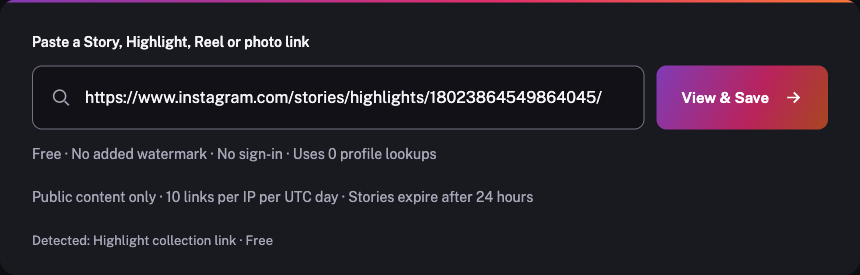
- Paste the complete collection link into the free box above. Check that it is detected as a Highlight before opening the available item grid.
- Open the public Instagram profile, then open the particular Highlight collection you want. A profile address alone does not identify that collection.
- In Chrome or another Android browser, copy the full collection address containing /stories/highlights/ and its numeric ID. Use Copy link in the collection's Share menu if it is available.
- Paste the complete collection link into the free box above. Check that it is detected as a Highlight before opening the available item grid.
- Open the public Instagram profile, then open the particular Highlight collection you want. A profile address alone does not identify that collection.
- In your desktop browser, copy the full collection address containing /stories/highlights/ and its numeric ID. Use Copy link in the collection's Share menu if it is available.
- Paste the complete collection link into the free box above. Check that it is detected as a Highlight before opening the available item grid.
Save content for permitted use. Ask the creator before reposting.
Why use a Highlight viewer?
- Open available public Highlight items from a collection link
- Keep the returned collection title with its grid
- View the current Stories of a known public username in the same input
- Save returned photos and videos as separate files
Why saved collections help with context
A creator can group older Stories into Highlights on the profile. A collection can therefore remain available beyond the original Story’s 24-hour window. Its title and available items help identify the saved collection, but the creator can edit it, remove it or change access.
What the username route can and cannot show
Submitting a username requests that account’s current public Stories by default, not a full feed archive or every saved Highlight. To open one particular collection, paste its own public Highlight address. A cover image or profile address does not identify the contents of that collection.
Private profiles, Close Friends audiences and deleted material are unavailable. Current Stories are filtered by actual expiry; saved Highlight items are treated separately because their original posting dates can be older. Source availability still applies.
Frequently asked questions
What is the difference between a Highlight and a Story?
A current Story normally expires 24 hours after posting. A Highlight is a saved collection the creator chooses to retain on the profile and can include older Stories.
How do I copy a Highlight when the app has no Copy link button?
Open Instagram in a browser, visit the public profile, open the collection and copy the address bar. The address should contain /stories/highlights/ followed by the collection number.
Does entering a username automatically open every Highlight?
No. A username requests current public Stories by default. Paste a specific Highlight collection link when you want its available photos and videos.
Does a Highlight cover link open the full collection?
No. A cover-image address identifies that image only. Use the actual Highlight collection address to request its available contents.
Profile lookup pricing
One lookup covers every Story this account has right now — 1 item or 20.
The first eligible successful fresh profile lookup is free each UTC day, up to seven free results in total from this release. Account, connection, browser and service-capacity limits apply. All profile queries, including cached results, require Google sign-in; a usable profile cache hit uses 0 lookups. Content links stay public.
Later successful fresh profile results use 1 purchased lookup. Current one-time packs: $4.99 for 20 lookups, $9.99 for 60 lookups, $19.99 for 150 lookups. Existing purchased balances and order history keep their original terms. Content links and individual downloads stay free and use no profile allowance.