Instagram Profile Viewer
Enter a public username or profile link to browse its available current Story photos and videos.
This is a profile query. The first eligible successful fresh lookup is free each UTC day, up to seven free results in total. Google sign-in is required for every profile query, including cache hits.
What is this Instagram Profile Viewer?
This profile viewer focuses on an account’s currently available public Stories. Start with the username or profile address you know and browse the result on PC, iPhone or Android without connecting your Instagram account.
Find a profile and view current Stories in three steps
- Find the current public Instagram profile. Copy its exact username rather than its display name. On iPhone or Android, Share profile may offer Copy link; on PC, copy the profile’s browser address.
- Enter the username or public profile link above. The page explains that this is a profile query before you continue. Complete verification and Google sign-in for the profile query, even when the result is cached.
- Browse every returned current Story and use its native photo/video controls. One lookup includes all returned Stories; choose individual downloads without another profile charge.
How to copy a profile link
- Open the public Instagram profile and check the exact username in its header. A display name is not a unique account address.
- Choose Share profile, then Copy link when available. Otherwise open that same profile in your mobile browser and copy its address.
- Paste the copied profile address into the main input. Review the profile-query notice; Google sign-in authorizes the account action, including a zero-lookup cache hit.
- Open the public Instagram profile and check the exact username in its header. A display name is not a unique account address.
- Choose Share profile, then Copy link when available. Otherwise open that same profile in your mobile browser and copy its address.
- Paste the copied profile address into the main input. Review the profile-query notice; Google sign-in authorizes the account action, including a zero-lookup cache hit.
- Open the public Instagram profile and check the exact username in its header. A display name is not a unique account address.
- Copy the profile's full address from your browser address bar. Keep the exact username path.
- Paste the copied profile address into the main input. Review the profile-query notice; Google sign-in authorizes the account action, including a zero-lookup cache hit.
Save content for permitted use. Ask the creator before reposting.
Why start from a profile?
- Use a username or profile address when you have no single Story link
- Browse all returned current public Stories in one result
- See separate private, missing-account, empty and source-error states
- Reuse usable cached results and save individual items without an extra debit
Find the right account before requesting it
A username appears in the profile address after instagram.com. It can contain letters, digits, dots and underscores. A display name can contain spaces and can be shared by several accounts. If a creator renamed the profile, confirm the current handle before a fresh request.
What this profile viewer can and cannot show
The default result is the account’s currently available public Stories, normally within their 24-hour lifetime. It does not enumerate a full feed history, followers, following or private account information. No new Stories, a private account, an account not found and a source error remain different states.
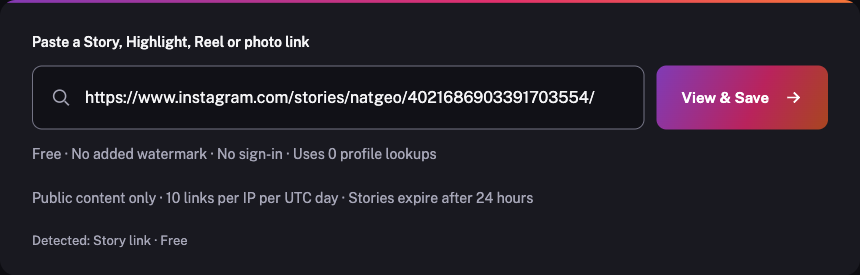
A specific public Story, Highlight, Reel or post can also be opened from its content link in the same input, free without a profile lookup. Private and restricted content is never accessed. Results depend on source availability and show their check time; cache reuse does not promise that newly posted content has already been fetched.
Frequently asked questions
Does this profile viewer show every post or follower?
No. The username route requests current public Stories. Full feed history, follower lists and following lists are not included. A specific public post can be opened through its own content link.
Can I find a profile using only its display name?
Use the exact username or public profile address. Display names can contain spaces and be shared by several accounts, so they do not reliably identify one profile.
Does a long Story result cost more than one with one item?
No. One lookup covers every Story this account has right now — 1 item or 20. Individual downloads do not add a profile charge.
What happens after a profile changes its username?
An old address may no longer identify the account you intended. Confirm the current public username before requesting a fresh result; old identity hints do not authorize access to a different or private account.
Profile lookup pricing
One lookup covers every Story this account has right now — 1 item or 20.
The first eligible successful fresh profile lookup is free each UTC day, up to seven free results in total from this release. Account, connection, browser and service-capacity limits apply. All profile queries, including cached results, require Google sign-in; a usable profile cache hit uses 0 lookups. Content links stay public.
Later successful fresh profile results use 1 purchased lookup. Current one-time packs: $4.99 for 20 lookups, $9.99 for 60 lookups, $19.99 for 150 lookups. Existing purchased balances and order history keep their original terms. Content links and individual downloads stay free and use no profile allowance.