Instagram Reels Downloader
Download a public Reel from its link on PC, iPhone or Android, without signing in.
What is an Instagram Reels Downloader?
A Reels downloader saves the video identified by a public Reel link, with its supplied audio and optional cover image. Use the link to the particular Reel rather than a username to get a file on PC, iPhone or Android.
Download Instagram Reels in three steps
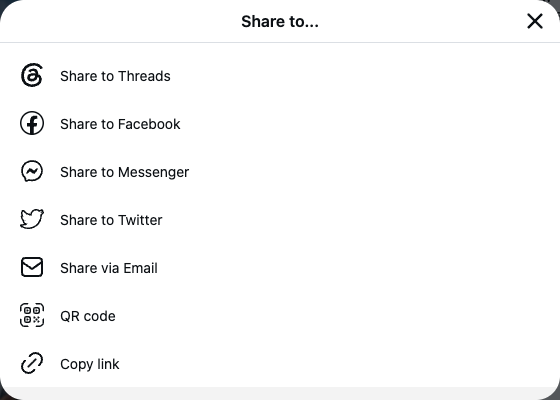
- Open the public Reel. On iPhone or Android, open Share and choose Copy link. On PC, open the Reel page and copy the address containing /reel/ or /reels/ and the post code.
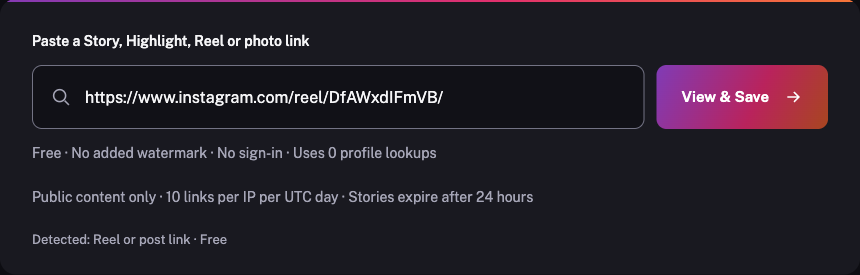
- Paste that Reel address above and choose View & Save. Check the detected Reel type and the returned preview.
- Play the video to check its available audio, then choose the MP4 download. If a cover image is provided, its separate download appears beside the video.
How to copy a Reel link
- Open the specific public Reel in Instagram. A username or profile homepage does not identify an individual content item.
- On iPhone, open Share and choose Copy link when available. If the action is missing, open the same content in your mobile browser and copy its full address.
- Paste the complete Reel link into the free box above. Check the detected type before choosing View & Save; keep any Story's 24-hour expiry in mind.
- Open the specific public Reel in Instagram. A username or profile homepage does not identify an individual content item.
- On Android, open Share and choose Copy link when available. If the action is missing, open the same content in your mobile browser and copy its full address.
- Paste the complete Reel link into the free box above. Check the detected type before choosing View & Save; keep any Story's 24-hour expiry in mind.
- Open the specific public Reel in Instagram. A username or profile homepage does not identify an individual content item.
- Open Share and choose Copy link when available, or copy the full address of that opened item from your browser address bar.
- Paste the complete Reel link into the free box above. Check the detected type before choosing View & Save; keep any Story's 24-hour expiry in mind.
Save content for permitted use. Ask the creator before reposting.
Save the supplied Reel video
- No sign-in for a public Reel content link
- MP4 source bytes without an added watermark or recompression here
- Highest returned video version with available dimensions
- Original supplied audio track and a cover image when provided
Supported Reel formats and audio
Reel videos are saved as the supplied MP4; an available cover has its own JPG download. Where multiple source video versions exist, choose from the displayed dimensions. We do not upscale the file or promise camera-original resolution.
The MP4 keeps the audio supplied by the source. Licensing, region or source limits can leave music unavailable; the tool cannot add missing sound or unlock a restricted track. Check playback and sound before saving. A logo or watermark already embedded in the video remains part of the file.
Reels stay available differently from Stories
A regular Reel is a post and does not follow the normal 24-hour Story lifetime, but a creator can remove it or change access. The same link box also accepts supported public Story, Highlight and post links. Downloading does not grant permission to reuse footage or music.
Frequently asked questions
Do downloaded Reels have sound?
The download retains the audio supplied in the source video. Music can be missing or restricted in the source; this tool cannot restore or unlock it. Enable sound in the preview to check.
Can I remove a watermark already inside a Reel?
No. This site adds no watermark and preserves source bytes. A logo or watermark embedded in the video remains in the downloaded file.
Can I save only the Reel cover?
A separate image download is shown when the source provides a cover. A cover image is distinct from the video and does not contain motion or sound.
Does a Reel expire after one day?
A regular Reel is a post and does not follow the normal 24-hour Story lifetime. It can still be removed, made private or become unavailable through the source.